
UPS Monitoring and Remote Management: How Businesses Can Prevent Power Failures
Power interruptions can affect business operations, damage sensitive equipment and cause unexpected downtime. For organizations that depend on servers, data centers, telecom networks and industrial systems, even a short power failure can create significant problems.
Installing a UPS (Uninterruptible Power Supply) is an important step towards reliable power protection. However, simply having a UPS is not always enough. Businesses also need to monitor its performance, battery condition and operating status to identify potential problems before they become serious.
This is where UPS monitoring and remote management become important.
With intelligent monitoring systems, businesses can track power conditions, receive alerts, check battery health and manage multiple UPS units from a central location. These capabilities help maintenance teams respond faster and reduce the risk of unexpected power failures.
What Is UPS Monitoring and Remote Management?
UPS monitoring is the process of continuously checking the operating condition and performance of an Uninterruptible Power Supply.
It allows businesses to track important information such as input voltage, output voltage, battery status, load levels, temperature and system alarms.
Remote UPS management takes this process further by allowing authorized users to access UPS information through a network or monitoring platform without physically visiting the equipment location.
Depending on the UPS model and communication options, monitoring systems can provide:
- Real-time UPS operating information
- Battery condition and backup status
- Input and output power readings
- Load and capacity information
- System fault notifications
- Email or SMS alerts
- Centralized monitoring of multiple UPS units
These features help businesses maintain better visibility into their power backup infrastructure.
1. Identify Power Problems Before They Cause Downtime
One of the biggest advantages of UPS monitoring is early problem detection.
Without monitoring, maintenance teams may only discover an issue when a UPS activates an alarm, switches to battery mode or fails to provide the expected backup.
An intelligent monitoring system can help identify unusual operating conditions before they affect connected equipment.
For example, if the input voltage becomes unstable, the system can provide an alert. Similarly, abnormal load conditions, temperature changes or battery-related warnings can help technicians investigate potential problems.
Early notifications allow businesses to schedule maintenance and take corrective action before a minor issue becomes a major interruption.
2. Monitor Battery Health and Backup Performance
Batteries are among the most important components of a UPS system. Even when the UPS itself is operating normally, weak or ageing batteries may not provide sufficient backup during a power outage.
Regular battery monitoring helps maintenance teams understand the condition of the backup system.
Important parameters to monitor include:
- Battery voltage
- Charging and discharging status
- Battery temperature, where supported
- Battery alarms
- Estimated backup runtime
- Battery replacement requirements
Battery performance can change due to temperature, operating conditions, ageing and charging problems.
By reviewing battery information regularly and conducting recommended battery tests, businesses can reduce the risk of discovering a weak battery during an actual power failure.
3. Use Remote Monitoring to Manage Multiple Locations
Businesses with multiple offices, warehouses, telecom sites or data centers often operate UPS systems at different locations.
Physically checking every unit can require significant time and maintenance resources.
Remote UPS monitoring helps centralize this process.
With compatible communication interfaces and monitoring software, authorized teams can access information from multiple UPS units through a network.
This provides several operational benefits:
- Centralized visibility of UPS performance
- Faster identification of equipment alarms
- Reduced need for routine physical inspections
- Better coordination between maintenance teams
- Improved response to power-related incidents
For businesses operating across different regions, centralized monitoring can make power infrastructure management more efficient.
4. Enable Automatic Alerts and Notifications
A monitoring system is most useful when it informs the right people about important changes.
UPS monitoring solutions can provide alerts when certain operating conditions occur.
Common notifications include:
- Main power failure
- UPS operating on battery
- Low battery warning
- Battery fault
- UPS overload
- High internal temperature
- Fan or system fault
- Communication failure
Depending on the UPS and monitoring accessory, notifications may be delivered through email, SMS or network management platforms.
For example, if a UPS switches to battery mode during an electricity interruption, an alert can notify the technical team immediately.
This gives employees time to investigate the situation and follow the organization’s backup power procedures.
5. Use SNMP Cards for Intelligent UPS Management
Simple monitoring displays are useful, but larger IT environments often require network-based monitoring.
An SNMP (Simple Network Management Protocol) card allows a compatible UPS to communicate with network management systems.
It helps IT administrators monitor UPS information remotely through supported network management platforms and web interfaces.
Key benefits of SNMP-based UPS monitoring include:
- Network-based UPS monitoring
- Remote access to operating information
- Email and SMS notifications, where supported
- Centralized management of compatible UPS units
- Integration with supported network management systems
ExTell Systems offers the ESNMP-MY-EN SNMP Card, designed for advanced UPS management.
Its listed features include compatibility with ExTell Galaxy UPS systems, smart remote monitoring, email/SMS alerts and centralized UPS monitoring.
Businesses should check model compatibility and communication requirements before selecting an SNMP accessory.
6. Reduce Maintenance Costs Through Preventive Monitoring
Unexpected equipment failure can lead to emergency repair expenses, service interruptions and additional operational costs.
Preventive monitoring helps businesses identify developing issues and plan maintenance activities in advance.
Instead of waiting for a UPS fault, maintenance teams can review operating records, examine battery warnings and investigate repeated alarms.
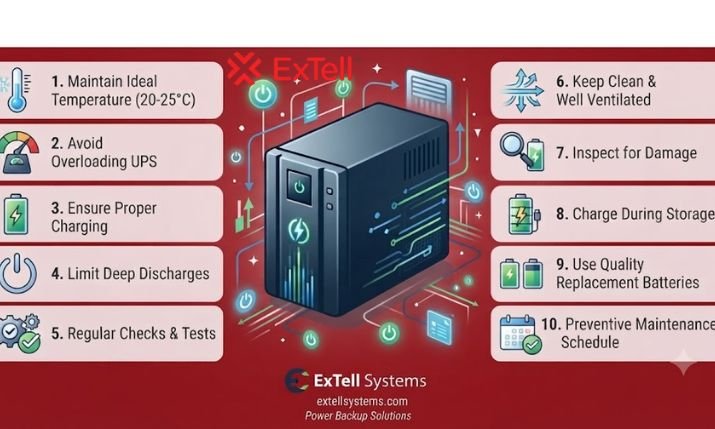
A practical UPS maintenance strategy should include:
- Reviewing UPS alerts regularly
- Checking battery condition
- Inspecting ventilation and cooling
- Monitoring connected electrical loads
- Testing backup performance according to manufacturer guidelines
- Updating firmware and software where applicable
- Maintaining service and replacement records
Monitoring does not eliminate the need for physical inspection or professional servicing. It makes maintenance more informed and easier to plan.
7. Choose a UPS System with Suitable Monitoring Features
Not every UPS provides the same monitoring capabilities.
When selecting a UPS for a business environment, consider its communication options and remote management requirements.
Important features include:
- USB and RS232 communication
- Optional SNMP compatibility
- RS485 communication, where required
- LCD display with operating information
- Battery status monitoring
- Alarm and fault notifications
- Compatibility with management software
For critical applications, businesses should also consider UPS capacity, redundancy, battery backup duration and service support.
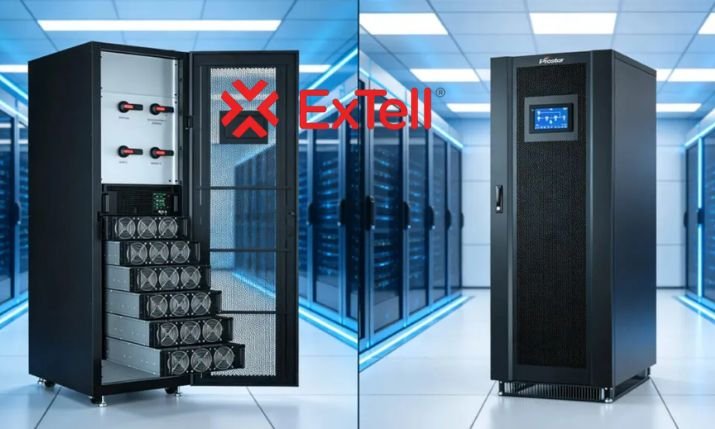
ExTell Systems offers online and modular UPS solutions with different communication and management options for business and critical infrastructure applications.
Selecting the right combination of UPS equipment and monitoring accessories can improve visibility and support long-term power reliability.
How ExTell Systems Supports Intelligent UPS Monitoring
ExTell Systems provides power backup and ICT infrastructure solutions for data centers, telecommunications, enterprise IT and industrial applications.
Its product portfolio includes online UPS systems, modular UPS solutions, batteries, battery cabinets and UPS accessories.
The ESNMP-MY-EN SNMP Card supports smart remote monitoring, email/SMS alerts and centralized monitoring for compatible ExTell Galaxy UPS systems.
ExTell’s UPS product range also includes solutions with communication options such as USB, RS232, RS485 and optional SNMP, depending on the model.
Businesses can explore these products to identify suitable power backup and monitoring solutions for their infrastructure requirements.
Conclusion
UPS monitoring and remote management play an important role in maintaining reliable business operations.
By tracking battery health, monitoring electrical conditions, receiving automatic alerts and managing multiple UPS systems remotely, businesses can identify potential problems earlier and improve maintenance planning.
The best approach combines a suitable UPS system, compatible monitoring accessories, regular inspections and a clear maintenance strategy.
For organizations that depend on continuous power, investing in intelligent UPS monitoring can improve operational visibility and reduce the risk of unexpected downtime.
Want to improve the reliability of your power backup infrastructure?
Explore ExTell Systems’ UPS solutions and intelligent monitoring accessories. Contact the technical team to discuss your UPS monitoring, SNMP card and remote management requirements.
Website: https://extellsystems.com/
Contact: https://extellsystems.com/contact
Sales email: sales@jaygenesisvirtue.com
Frequently Asked Questions
1. What is UPS monitoring?
UPS monitoring is the process of tracking the operating condition of an Uninterruptible Power Supply. It includes checking battery status, load levels, input and output voltage, temperature and system alarms.
2. How does remote UPS monitoring work?
Remote UPS monitoring uses communication interfaces such as SNMP, USB or RS232 to share UPS information with compatible software or network management platforms. Authorized users can access system information without visiting the equipment location.
3. What is an SNMP card in a UPS system?
An SNMP card is a network communication accessory that allows a compatible UPS to communicate with network management systems. It supports remote monitoring and can provide alerts about power conditions and equipment faults.
4. Can UPS monitoring prevent power failures?
UPS monitoring cannot prevent every electricity interruption or equipment failure. However, it helps identify warning signs such as battery problems, overload conditions and system alarms, allowing maintenance teams to take corrective action earlier.
5. How often should businesses monitor UPS battery health?
Businesses should monitor UPS battery status regularly through available monitoring features and follow the manufacturer’s recommended inspection and testing schedule. Battery replacement should be based on condition, age, operating environment and test results.